
Every small business owner has seen the blue “Boost post” button. Tap it, choose an amount, and your post reaches more people. But does it reach the right people? Would a proper ad campaign work better? And how much should you actually spend? Facebook and Instagram ads can be one of the most cost-effective ways for a local shop, institution or service business to reach nearby customers, as long as you understand a few fundamentals. This guide explains them in plain language.
How Facebook and Instagram ads work
Facebook and Instagram are both owned by Meta, and ads for both are managed from the same system. When you run an ad, you tell Meta three things: what result you want, who you would like to reach and how much you are willing to spend. Meta’s delivery system then shows your ad to people it predicts are most likely to produce that result, across Facebook, Instagram and, depending on your settings, Messenger and partner placements.
You pay for the delivery, not for a fixed position. Costs vary with competition, audience, season and how engaging your ad is. During busy periods such as Onam, Ramadan and Eid, Christmas and the wedding season, many businesses advertise at once, so reaching people can cost more. Planning festival campaigns early helps.
Boosting a post vs using Ads Manager
There are two main ways to advertise. Both are legitimate; they suit different goals.
| Feature | Boost post | Meta Ads Manager |
|---|---|---|
| Where you start | Directly from a post on your Facebook Page or Instagram profile | The Ads Manager tool, on desktop or the mobile app |
| Ease of use | Very simple, a few taps | More steps and settings to learn |
| Goals available | A limited set, such as more engagement, messages or website visits | The full range of campaign objectives |
| Targeting | Basic location, age and interest options | Detailed targeting, custom audiences, lookalikes and exclusions |
| Creative options | Uses an existing post | New ads in many formats, multiple versions for testing |
| Best for | Quickly extending the reach of a post that is already doing well | Planned campaigns for leads, sales, enquiries or app installs |
Boosting is a sensible starting point when a post has already earned good organic engagement. For anything with a specific business goal, such as WhatsApp enquiries for an admission campaign or footfall for a showroom sale, Ads Manager gives you far more control.
Understanding campaign structure
In Ads Manager, every campaign has three levels. Understanding them makes the tool much less intimidating.
- Campaign: where you choose your objective, the main result you want.
- Ad set: where you define the audience, placements, budget and schedule.
- Ad: the creative people actually see: image or video, text, headline and call-to-action button.
One campaign can contain several ad sets, for example one targeting Malappuram district and another targeting Kozhikode, and each ad set can hold several ads so you can compare which creative performs better.
Choosing the right objective
Meta groups objectives into outcome-based categories, which at the time of writing include awareness, traffic, engagement, leads, app promotion and sales. Pick the one that matches what you actually want:
- Awareness: reach as many relevant people as possible, useful for a new shop opening or a brand launch.
- Traffic: send people to your website, landing page or WhatsApp.
- Engagement: get messages, video views, post interactions or event responses. Click-to-WhatsApp and Messenger ads often sit here and are popular with Kerala businesses.
- Leads: collect enquiries through instant forms, messages or calls.
- Sales: drive purchases, usually on a website with tracking set up.
The objective matters because Meta optimises for it. If you choose engagement, you will get likes and comments; if you need phone enquiries, choose an objective built for leads or messages.
Setting a sensible budget
There is no single correct budget, but there are sensible ways to approach it.
Daily vs lifetime budgets
A daily budget is the average amount you want to spend each day, suited to ongoing campaigns. A lifetime budget is the total for a fixed period, which works well for a festival sale or an event with a clear end date.
Start small, then scale
Begin with a modest budget you are comfortable losing while you learn. Run the campaign for long enough to gather meaningful results, often at least several days, before judging it. When an ad set consistently delivers results at an acceptable cost, increase the budget gradually rather than all at once.
Respect the learning phase
When a new ad set starts, Meta’s system goes through a learning period while it works out who responds best. Making frequent large edits to budget, audience or creative can restart that learning. Make changes thoughtfully and give them time to settle.
Work out what a result is worth
The most useful budgeting question is: how much can I afford to pay for one enquiry or one customer? If an average order earns you a certain profit, and one in five enquiries becomes an order, you can calculate the most you should pay per enquiry. That number guides every budget decision that follows.
Tip: separate testing money from scaling money. Set aside a small portion of your monthly budget purely for testing new audiences and creatives. Spend the rest on what has already proven to work. This keeps you learning without risking the whole budget on untested ideas.
Targeting: reaching the right people
Location targeting
For most local businesses, location is the most important setting. You can target countries, states, cities or a radius around a specific address. A bakery might target a few kilometres around the shop; a wedding card designer might target the whole district; an institution recruiting students might target several districts or Gulf countries where families from the region live and work. This kind of location-based campaigning is one of the most practical tools available to small businesses.
Demographics and language
Age, gender and language settings help when your product clearly suits a particular group. Be careful not to narrow too much; very small audiences can become expensive and limit how well the system can optimise.
Interests and broad targeting
Detailed targeting lets you add interests and behaviours, but Meta increasingly encourages broader targeting and uses automation to find responsive people within it. For beginners, a reasonable approach is to set the location and essential limits, keep the audience fairly broad, and let a strong creative do the filtering.
Custom and lookalike audiences
Custom audiences let you reach people who already know you: those who engaged with your Page or Instagram profile, watched your videos, visited your website (with the Meta Pixel installed) or are on a customer list you have permission to use. Lookalike audiences find new people with similar characteristics. Both are powerful once you have some data to work with.
Special ad categories
Ads about employment, housing, credit and financial products, and social issues, elections or politics fall under special categories with restricted targeting options and additional requirements. If your ad relates to these areas, declare it correctly, or it may be rejected.
Creating ads that people stop for
Targeting gets your ad in front of people; the creative decides whether they pay attention. Most people see ads on phones while scrolling quickly, so design for that.
- Use vertical or square formats that fill the phone screen, and prepare separate versions for feeds and stories or reels.
- Grab attention in the first moments of a video with movement, a face or a clear statement.
- Add captions or on-screen text, since many people watch with sound off.
- Speak your audience’s language; Malayalam headlines and captions often connect more strongly with local customers.
- Show the real product, place or people rather than generic stock images where possible.
- Keep text on images short and readable; put the details in the ad copy.
- Use a clear call-to-action button such as “Send WhatsApp message”, “Call now” or “Learn more”.
- Make sure the destination, whether a website, form or WhatsApp chat, is ready to respond quickly.
Short promotional videos often perform well on both platforms. Our video editing service creates ad-ready reels and promo videos, and if your ads send traffic to a website, a fast, mobile-friendly site from our web development team helps turn clicks into enquiries.
Reading your results
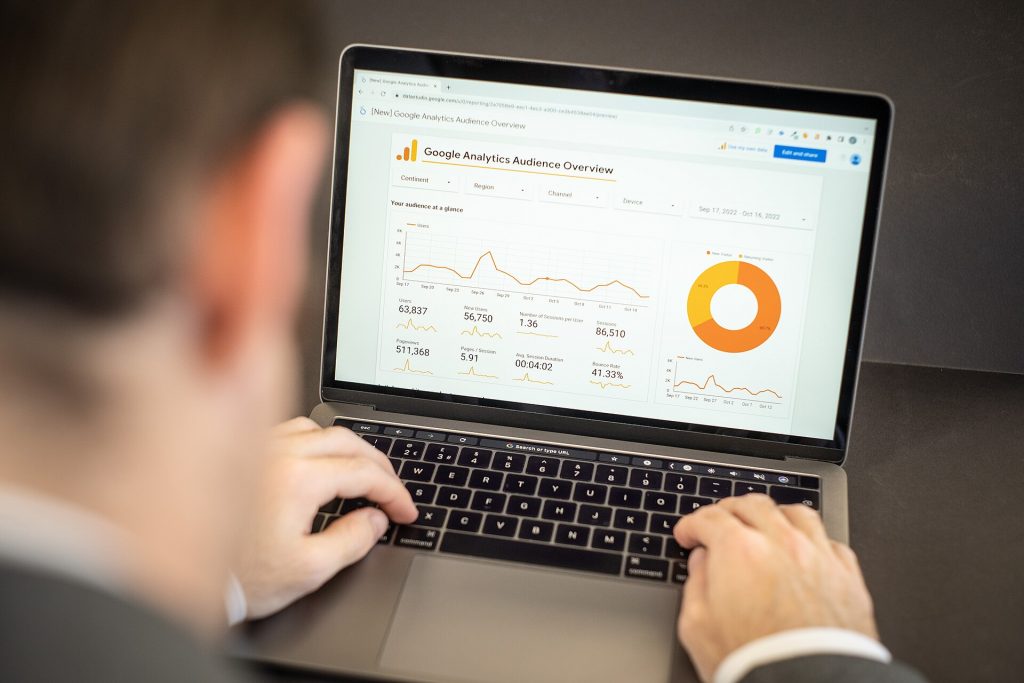
Ads Manager shows a lot of numbers. Focus on the ones that relate to your objective.
| Metric | What it means | What to watch for |
|---|---|---|
| Reach | Number of unique people who saw your ad | Is it growing in line with your budget? |
| Impressions | Total times your ad was shown | Compare with reach to understand repetition |
| Frequency | Average times each person saw the ad | Rising frequency with falling results suggests ad fatigue |
| CPM | Cost per 1,000 impressions | Usually rises in competitive seasons |
| CTR (click-through rate) | Percentage of people who clicked | Low CTR often means the creative or offer needs work |
| CPC (cost per click) | Average cost of each click | Useful for traffic campaigns |
| Cost per result | Average cost of your chosen result, such as a message or lead | The key number to compare against what a result is worth to you |
Numbers in Ads Manager are only half the story. Track what happens next: how many WhatsApp chats became orders, how many leads visited, how many calls turned into bookings. That is how you know whether the campaign actually worked.
Common beginner mistakes
- Boosting every post without a clear goal.
- Choosing an engagement objective when you really need enquiries.
- Targeting an audience that is too narrow or too far from your service area.
- Changing settings every day and never letting a campaign learn.
- Running the same creative for months until people stop noticing it.
- Ignoring messages and comments that ads generate; slow replies waste the spend.
- Judging success on likes instead of real business outcomes.
If you would rather have experts handle it, Dzone Ads offers social media promotion including Facebook, Instagram and YouTube ads, location-based campaigns, statistical analysis of results and free ad boosting guidance. Packages start from ₹6,999 per month, and the final quote depends on scope; see our pricing page for details.
Key takeaways
- Boosting is quick and simple; Ads Manager offers full control for goal-driven campaigns.
- Every campaign has three levels: campaign (objective), ad set (audience, budget, schedule) and ad (creative).
- Choose the objective that matches the result you actually need, such as messages or leads.
- Start with a modest budget, allow time for learning and scale what works gradually.
- Location targeting is the foundation for local businesses; keep audiences reasonably broad.
- Mobile-first creatives, Malayalam copy and fast replies make a big difference.
- Measure real business outcomes, not just likes and reach.
Frequently Asked Questions
How much should a small business spend on Facebook and Instagram ads?
There is no fixed amount. Start with a budget you are comfortable testing with, run campaigns long enough to see results, and calculate what an enquiry or customer is worth to you. Increase spending gradually on campaigns that deliver results at an acceptable cost.
Is boosting a post a waste of money?
Not necessarily. Boosting a post that is already performing well can extend its reach cheaply. It becomes wasteful when used without a clear goal or audience. For enquiries, sales or leads, a campaign in Ads Manager usually performs better.
Can one ad run on both Facebook and Instagram?
Yes. Ads created in Meta Ads Manager can run across Facebook and Instagram together, with placements chosen automatically or manually. It helps to prepare creative sizes for both feeds and stories or reels.
Can I target customers in the Gulf from Kerala?
Yes. Location targeting works by country, region or city, so you can run campaigns for audiences in Gulf countries, for example to reach families of students or customers who order for relatives in Kerala.
Why was my ad rejected?
Ads are reviewed against Meta’s advertising standards. Common reasons include restricted content, misleading claims, incorrect special ad category declarations or problems with the landing page. Review the stated reason, correct the issue and resubmit or request a review.
Ready to turn your social media into a steady source of enquiries? Tell us about your business, location and goals, and we will suggest a practical campaign plan. Get a free quote from Dzone Ads today.