
Open your business website on your phone right now. Does the text fit without pinching and zooming? Can you tap the call or WhatsApp button with your thumb? Does the page appear before you lose patience? If any honest answer is “not really”, this guide is for you. Responsive web design is the approach that makes one website work well on every screen, and for most small businesses in Kerala and across India, the phone is where a customer will meet you first.
What responsive web design actually means
Responsive web design is a way of building websites so that the layout adapts to the screen it is viewed on. Instead of maintaining a separate “mobile site” and “desktop site”, you build a single site with flexible layouts, flexible images and a set of CSS rules that rearrange content at certain screen widths. Those widths are called breakpoints.
On a laptop, a responsive page might show three service cards side by side and a horizontal menu. On a phone, the same page stacks those cards, collapses the menu into a tappable icon and serves a lighter banner image. The content and URL stay the same; only the presentation changes.
The three building blocks
Almost every responsive website relies on three core techniques:
- Fluid grids: layout columns are sized in relative units (percentages, fractions or flexible boxes) rather than fixed pixel widths, so they stretch and shrink with the screen.
- Flexible images and media: photos, videos and embedded maps scale within their containers instead of overflowing them. Modern sites also serve different image sizes to different devices so phones do not download huge desktop files.
- Media queries: CSS rules that apply only when certain conditions are true, such as “when the screen is narrower than this width” or “when the user prefers reduced motion”. These are what trigger layout changes at each breakpoint.
Responsive, adaptive or a separate mobile site?
You may hear other terms from developers or older agencies. Here is how the main approaches compare:
| Approach | How it works | Pros | Cons |
|---|---|---|---|
| Responsive design | One site, one URL, fluid layout that reflows at breakpoints | Single site to maintain, consistent content, preferred by search engines, future-proof for new screen sizes | Needs careful planning so mobile performance is not an afterthought |
| Adaptive design | Server or code detects the device and serves one of several fixed layouts | Fine control for specific devices | More layouts to build and test; can break on devices nobody planned for |
| Separate mobile site (m.example.com) | A different website for phones on its own sub-domain | Can be very lightweight | Two sites to update, duplicate content issues, links shared from one version may not suit the other |
| Desktop-only (non-responsive) | Fixed-width layout designed for large screens | None today | Pinch-and-zoom experience, poor usability and weak search visibility on mobile |
For nearly every business, institution or shop, responsive design is the sensible default. It is what we use for every site we build through our website development service.
Why mobile-first matters more than ever
“Responsive” describes the result: a site that works on all screens. “Mobile-first” describes the process: you design and build for the smallest screen first, then progressively enhance the layout for tablets and desktops. The order matters more than it sounds.
Your customers are already on their phones
For a large share of people in India, the smartphone is the main way of getting online. Customers tap a link forwarded on WhatsApp, open your page from an Instagram bio, follow Google Maps, or scan a QR code on a flyer. Every one of those journeys opens your website in a mobile browser. If the first impression is a cramped desktop layout, many visitors simply press back and call the next shop.
Google looks at the mobile version of your site
Google uses mobile-first indexing, which means it primarily looks at the mobile version of a page when deciding what the page is about and how it should rank. If important text, headings or links are missing from your mobile layout, Google may not give you credit for them. A responsive site that shows the same meaningful content on all devices avoids that problem by design.
Mobile-first forces clarity
A phone screen has no room for clutter. Designing for it first forces hard questions early: What is the single most important thing a visitor should do here? Which three services matter most? The answers produce a cleaner desktop design too, instead of a crowded desktop layout squeezed onto a phone.
Performance on real-world networks and devices
Many customers browse on entry-level Android handsets, sometimes on patchy mobile data. Mobile-first development treats speed as a core requirement: smaller images, fewer heavy scripts, well-optimised fonts and no autoplaying background videos. A fast site feels more trustworthy and keeps people on the page.
How a good mobile-first website is planned
Responsive design is not a plugin you switch on. It is a series of decisions made from the first planning meeting. Here is the process we recommend, whether you work with us or another team:
- List the jobs visitors come to do. For a restaurant it might be “see the menu, check timings, call or order”. For a school it might be “find admission details, see the fee structure, contact the office”. Write these down before thinking about design.
- Prioritise content for the smallest screen. Arrange each page’s content in a single column, in order of importance. Whatever ends up at the top on mobile is what most visitors will see.
- Wireframe the mobile layout first. Simple grey-box sketches are enough. Decide where the menu, contact buttons and key sections go on a phone, then plan how they expand on larger screens.
- Set breakpoints based on content, not devices. Rather than targeting specific phone models, widen the browser and add a breakpoint wherever the layout starts to look stretched or awkward. This keeps the site working on screen sizes that do not exist yet.
- Design for touch. Buttons and links need enough size and spacing for a thumb. Hover effects should never hide essential information, because there is no hover on a touchscreen.
- Optimise every image. Export at sensible dimensions, compress, use modern formats where supported, and let the browser choose the right size for each device.
- Test on real devices before launch. Browser simulators are useful, but nothing replaces holding an actual mid-range phone, on mobile data, and trying to complete each visitor job.
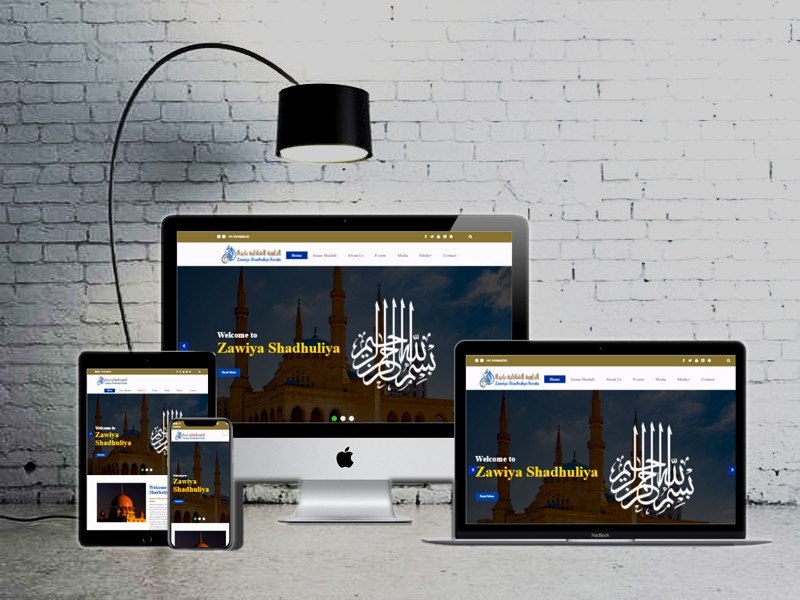
If you want to see how this looks in finished projects, our portfolio includes website work such as the Zawiya Shadhuliya website alongside our print and branding projects.
The responsive design checklist for small business websites
Use this checklist to review your current website or to brief a designer on a new one. Each item is simple to test with your own phone.
- Body text is comfortably readable without zooming (around 16px or larger on mobile is a good baseline).
- No sideways scrolling on any page; nothing spills off the right edge of the screen.
- The menu opens and closes easily with one thumb and every item is tappable.
- A click-to-call button and a WhatsApp chat link are visible without scrolling on key pages.
- Your address, phone number and opening hours are real text, not part of an image, so they can be tapped, copied and read by search engines.
- Forms are short and use the right input types, so phones show a number keypad for phone fields and an email keyboard for email fields.
- Images are compressed and sized appropriately; the home page loads quickly on mobile data.
- Tables, price lists and timetables either scroll neatly within their box or restack into readable cards.
- Pop-ups do not cover the whole screen, and can be closed easily on a small device.
- Embedded Google Maps and videos fit the screen width and do not slow down the first view.
- Malayalam and English text both render correctly, with no broken characters or overlapping lines.
- The site looks right in both portrait and landscape orientation.
Tip: do the one-thumb test. Hold your phone in one hand and try to complete the main task on your website, such as finding your phone number and calling, or reaching the enquiry form and submitting it, using only your thumb. If you have to stretch, zoom or switch hands, a customer will feel the same friction. Ask a friend or family member who has never seen the site to try it too, and watch quietly without helping.
Typography, Malayalam and bilingual content on small screens
Many Kerala businesses serve customers in both Malayalam and English, and a bilingual website can be a real advantage. It does, however, need extra care on mobile.
Choose fonts that support Malayalam properly
Use Unicode Malayalam web fonts, such as Noto Sans Malayalam or other open-licence typefaces. Older non-Unicode fonts from some print workflows will not display correctly online or be read by search engines. Load only the weights you use, since each font file adds loading time.
Give Malayalam text room to breathe
Malayalam script has taller letterforms and more vertical detail than Latin script, so slightly increased line height helps readability on small screens. Headings that look balanced in English may wrap onto three or four lines in Malayalam, so test both languages at mobile widths. And if you share a Malayalam poster as an image, repeat its essential details as real text on the page so they stay readable and searchable.
Common responsive design mistakes to avoid
Hiding important content on mobile
Hiding sections on phones to “solve” a crowded layout means most visitors, and search engines, never see them. Rearrange or simplify instead.
Heavy sliders and oversized banners
Rotating banners push real content below the fold on phones and slow the page. One strong image, a clear headline and one button usually work better.
Tiny tap targets packed together
Social icons, footer links and pagination numbers crammed together cause mis-taps. Give interactive elements generous size and spacing.
PDFs instead of web pages
Menus, brochures and admission forms uploaded only as PDFs are awkward to read on phones. Offer a proper web page version and keep the PDF as an optional download.
How to check your site and brief your designer
You do not need to be technical to run a useful review. Open your site on a small Android phone and a larger one, using mobile data rather than Wi-Fi. Use the responsive mode in your desktop browser’s developer tools to preview different widths, and run Google’s free PageSpeed Insights for a performance report with practical suggestions. Best of all, watch a customer try to complete a task; their hesitations are your to-do list.
When commissioning a new site, ask whether the mobile layout will be designed first, which real devices will be used for testing, how images will be optimised, and whether you can update content yourself without breaking the layout.
Budget is naturally part of the conversation too. At Dzone Ads, business websites start from ₹14,999, and the final quote depends on the number of pages, features and content involved. You can see typical packages on our pricing page, and if you mainly need a visual refresh of an existing site, our web design service covers layout, typography and user experience improvements.
Key takeaways
- Responsive web design means one website that adapts its layout to every screen size, using fluid grids, flexible images and media queries.
- Mobile-first is the process of designing for the smallest screen first; it produces clearer, faster sites on every device.
- Google primarily evaluates the mobile version of your pages, so content hidden or broken on mobile can hurt visibility.
- For local businesses, click-to-call, WhatsApp links, readable text and fast loading on mobile data matter more than decorative effects.
- Bilingual Malayalam and English sites need Unicode web fonts, extra line spacing and testing in both languages.
- Always test on real phones, on mobile data, before and after launch.
Frequently Asked Questions
Is responsive design the same as having a mobile app?
No. A responsive website runs in any browser and needs no installation, while an app must be downloaded from an app store. Most small businesses get far more value from a fast responsive website than from an app, because customers can reach it instantly from Google, WhatsApp or social media links.
Can my existing website be made responsive, or do I need a new one?
It depends on how the site was built. Some older sites can be updated with a new responsive theme or stylesheet, while others are built on fixed-width layouts that are cheaper to rebuild than to patch. A short review of your current site will usually make the right option clear.
Does responsive design affect my Google ranking?
A good mobile experience supports your visibility, because Google uses the mobile version of your pages for indexing and considers page experience. Responsive design on its own does not guarantee rankings, but a site that is broken or slow on phones puts you at a clear disadvantage.
How long does it take to build a responsive business website?
A straightforward business website can often be completed in a few weeks once content and photos are ready. Larger sites with many pages, online booking or e-commerce take longer. Having your text, logo and images prepared early is the biggest factor in keeping the timeline short.
Ready for a website that works beautifully on every phone your customers carry? Tell us about your business and what visitors need to do on your site, and we will suggest the right approach. Request a free quote from Dzone Ads today.